Torch Accessory Guide
Olight Accessories and Compatibility
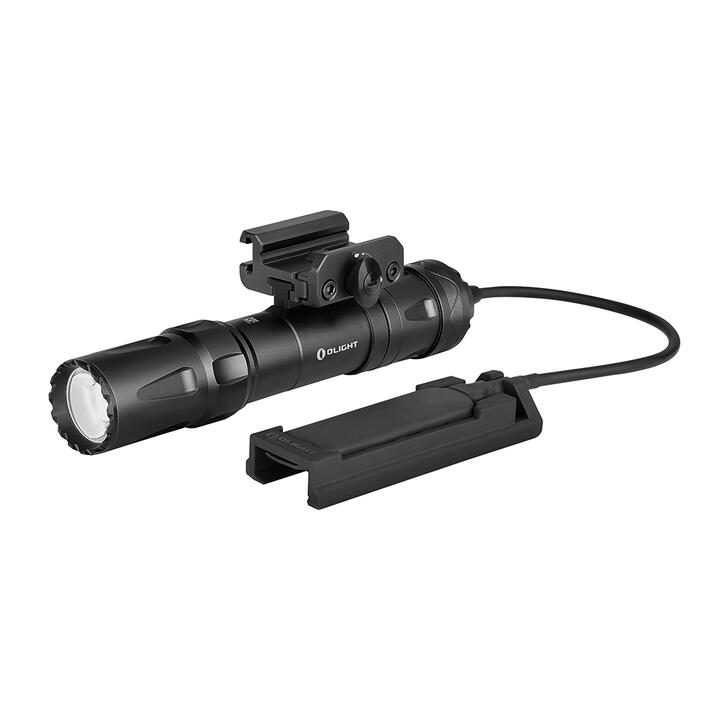
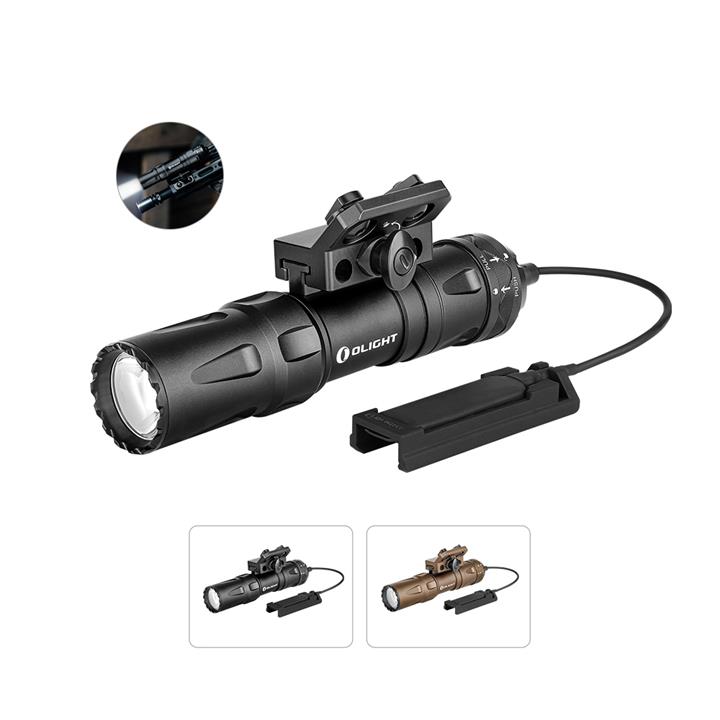
Olight accessories are often designed for particular torch models. Similar-looking magnetic switches, mounts and charging systems should not be assumed to be interchangeable.
This guide focuses on the wireless remote switch made for the Olight Javelot Turbo 2 and explains what buyers should verify before ordering.
Testing statement: Firebusters has not personally tested this remote switch. Product information comes from current Olight and merchant listings and should be confirmed before purchase.
Javelot Turbo 2 Wireless Remote Switch
Model-Specific Wireless Control
The remote switch is designed specifically for the Olight Javelot Turbo 2. Olight Australia states that it is not compatible with any other model.
- Designed for the Javelot Turbo 2
- Wireless operation without a cable between the remote and torch
- Published control distance of up to eight metres when correctly paired
- Magnetic charging arrangement
- Separate compatible remote mount available from Olight
External affiliate link · Opens in a new tab
Critical Compatibility Warning
Check the complete model name printed on the torch and its packaging. If the torch is not identified as the Javelot Turbo 2, seek written confirmation from Olight before ordering.
What the Remote May Add
The switch allows the paired Javelot Turbo 2 to be operated from a separate control. This may be useful where the torch is positioned somewhere accessible and permitted but its normal controls are inconvenient to reach.
Possible applications depend on local laws, the mounting system and the complete instructions. Wireless control should never be relied upon as the sole lighting control in a safety-critical situation.
- Remote operation from a nearby position
- Less cable clutter than a traditional wired pressure switch
- Controls separated from the body of the torch
- Up to eight metres of published operating distance under suitable conditions
The eight-metre figure is a manufacturer specification, not a guarantee in every environment. Obstructions, interference, battery charge and positioning may affect operation.
Charging and Battery Management
Olight describes the switch as having magnetic charging. Follow the current instructions for the correct charging position and compatible charging equipment.
- Charge the remote before planned use.
- Do not assume the remote charges merely because it is near the torch.
- Check that its charging indicator shows the expected status.
- Inspect magnetic contacts for dirt, moisture or metal debris.
- Do not place damaged charging equipment into service.
- Test the remote and the torch’s normal controls before leaving home.
Firebusters did not find a dependable published runtime figure for the remote alone. Buyers should not rely on an estimated battery duration for emergency planning.
Remote Mount
Olight lists a mount designed specifically for the Javelot Turbo 2 wireless remote. The mount may be a separate purchase, so buyers should check the exact package contents.
Do not assume that a mounting bracket, fasteners or other accessories are supplied with the standalone switch.
- Confirm whether the remote mount is included.
- Check that the selected mount suits the intended surface.
- Ensure the remote cannot obstruct controls or moving parts.
- Do not modify the remote, torch or mount.
- Inspect the mounting arrangement before every use.
Wireless Limitations
A wireless accessory introduces possible failure points that do not exist when operating a torch directly.
- The remote battery can become discharged.
- Pairing may be lost or performed incorrectly.
- Wireless range can vary with surroundings.
- Controls may be activated accidentally.
- Water, dirt or impact damage may affect performance.
- The torch itself must still be charged and operational.
Always retain access to the torch’s normal controls. Carry an independent backup light where loss of illumination could create a hazard.
Safety and Responsible Use
- Follow the torch and remote-switch manuals.
- Test pairing and controls in a safe location.
- Use the lockout function where provided during transport or storage.
- Keep the equipment away from children.
- Do not rely on the remote for life-safety or emergency signalling.
- Do not use damaged, swollen, overheating or water-affected equipment.
- Ensure any proposed mounting and use comply with applicable Australian laws.
Rules affecting hunting, firearms, vehicles, public roads and high-powered lighting vary by jurisdiction. This guide does not confirm that any particular mounting arrangement or activity is lawful.
Who May Find It Useful?
- Existing Javelot Turbo 2 owners who need nearby remote operation
- Users who understand the additional charging and pairing requirements
- Buyers with a suitable and lawful mounting arrangement
- People prepared to test the system before each important use
Who Should Consider Another Option?
- Owners of any torch other than the Javelot Turbo 2
- People needing a universal switch for several torch models
- Users who only require ordinary handheld operation
- Anyone needing guaranteed wireless range or published remote runtime
- Users who cannot maintain an independent backup light
Checks Before Buying
- Confirm the torch is the Javelot Turbo 2.
- Check the exact remote-switch product name.
- Confirm what is included in the package.
- Check whether the remote mount is sold separately.
- Read the pairing and charging instructions.
- Confirm the current warranty conditions.
- Check the environmental rating before wet or dusty use.
- Confirm the intended mounting and use are lawful.
- Plan for an independent backup light.
Frequently Asked Questions
Does it work with every Olight Javelot?
No. Olight Australia states that this switch works only with the Javelot Turbo 2.
What is its published wireless range?
Olight publishes a control distance of up to eight metres when the remote is correctly paired. Actual range may vary with conditions.
Is the remote mount included?
Do not assume it is included. Olight separately lists a mount for the Javelot Turbo 2 wireless remote. Confirm the current package contents before ordering.
Can it replace a backup torch?
No. A wireless remote, its battery or the paired torch can fail. Carry an independent light when illumination is important for safety.
Can it be used with another magnetic Olight switch?
No compatibility should be assumed. Use only the accessory specifically approved for the exact torch model.
Is it suitable for vehicle mounting?
Suitability depends on the mount, vehicle, operating environment and applicable laws. The switch’s availability does not establish that a particular vehicle installation is safe or legal.
Final Assessment
The Olight wireless remote switch provides cable-free control for the Javelot Turbo 2 from a published distance of up to eight metres. Its main limitation is equally clear: it is not compatible with other torch models.
It may be useful for existing Javelot Turbo 2 owners with a genuine need for remote operation. Occasional users may find the torch’s normal controls simpler and more economical.
Sources
- Olight Australia – Javelot Turbo 2 wireless remote switch
- Olight Australia – compatible remote mount
- Olight Australia – Javelot Turbo 2 kit and remote range
Sources checked 5 September 2026. Compatibility, specifications, package contents and availability can change.
About the author and safety review
Ken Walker
Former Station Officer and fire service educator
Fire and emergency service educator with 40 years of career and volunteer experience.
Qualifications: Associate Diploma of Applied Science in Fire Technology; Institute of Fire Engineers studies.
Author profileGeneral information only. Follow official warnings, local procedures and manufacturer instructions.